Showing posts with label 5th Grade. Show all posts

Friday, September 20, 2019

The Line that Connects Us All


It has been a great start to the year! Our opening project that all of out students collaborated on is "The Line that Connects Us All." We are all unique but when we come together, at school, our lives touch and we are all connected.

Each student was asked to create an artwork that represents themselves. In order to make it collaborative, the students were asked to draw a line between 2 dots on their papers (3 inches up from the bottom). When placed directly side by side each student's art connects with all the other students' art! The line that runs through all of the artworks is "The Line that Connects us All." We are all unique but when we come together at school our lives touch and we are all connected.


Once students bring these home they can connect their artworks at home with their siblings' art and a new collaborative work is born. In this case, the line illustrates their family connection.

The book I used to kick off this project was Andrew Drew and Drew which I give a whole hearted 5 stars for creativity and artistic encouragement!

Friday, June 2, 2017

Fifth Grade Digital Art


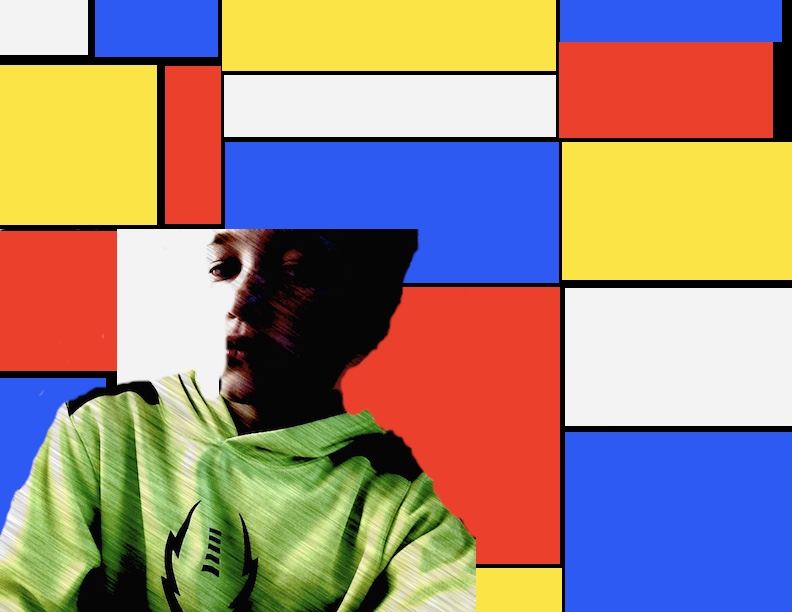
Fifth grade used the program "Acorn" to create their own versions of a famous abstract work of art. They were given access to a shared google folder that had folders dedicated to a variety of artists that they have learned about over the years and their famous works of art. Next they set to work learning to use Acorn (similar to Photoshop).

Acorn is a simplified (and somewhat glitchy) version of Photoshop. I really liked using this with my older students because it is so close to Photoshop that I feel like they are getting something of a real world experience.


Learning Goals: I can...
- Create a file in Acorn that is US Letter sized
- Use Google Drive to download a famous work of art from a shared folder
- Use Preview to open the famous work of art and to pick colors from the original artwork
- Use Acorn tools and modify size and opacity: Paintbrush, bucket, smudge, eraser, eyedropper
- Use Photo Booth to take a picture and insert it into Acorn
- Use layers and change visibility
- Convert Acorn file to JPEG
- Drop JPEG into a shared google folder to submit it to Mrs. Seitz

Wednesday, December 21, 2016

Hundertwasser Architecture


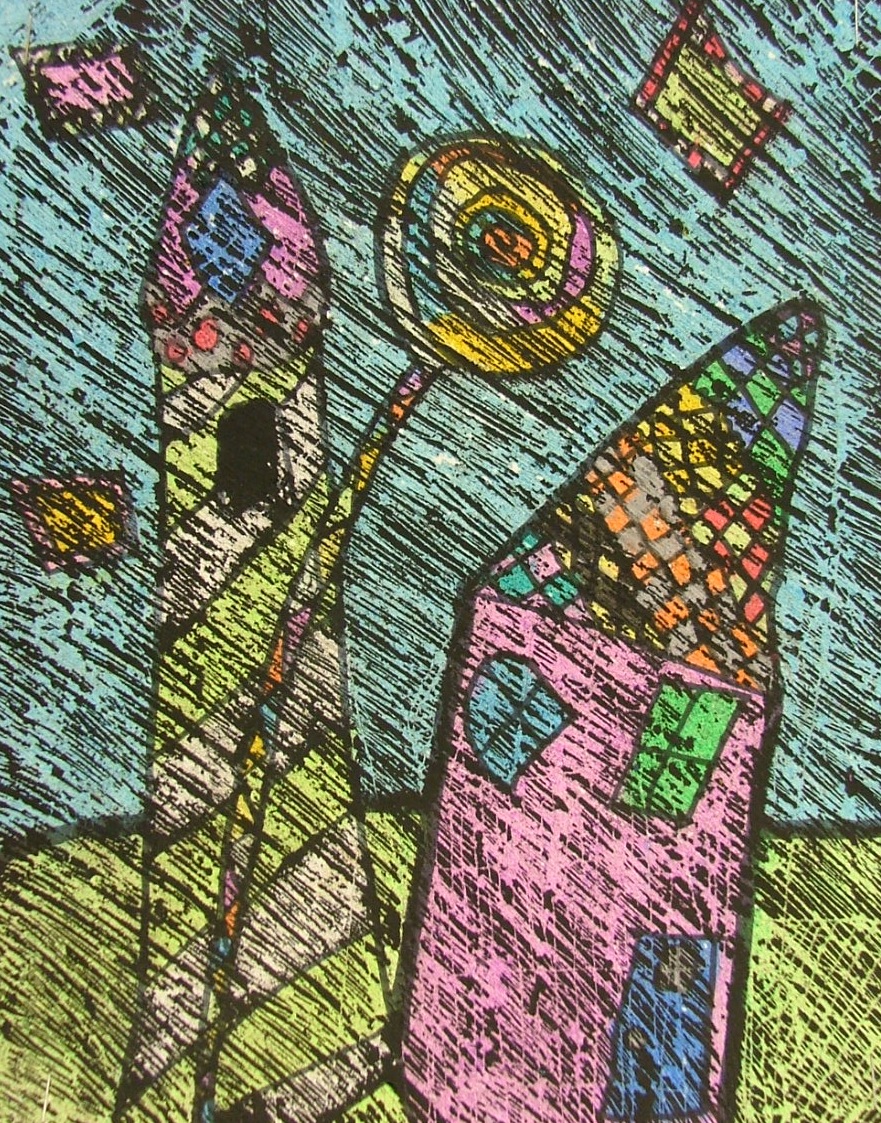
Each year our fifth graders learn about the art of painter and architect: Friedrich Hundertwasser.  Hundertwasser is a whimsical artist who really is amazingly creative.  Some classes were able to learn more about Hundertwasser through the book  Hundertwasser for Kids: Harvesting Dreams. This book gives a playful peak into the mind of the artist!

After looking at artwork created by Hundertwasser, we came up with a list of common characteristic: colorful, buildings, faces, and lollypop trees.  We used these characteristics to help guide our designs.

Learning Goals: I can...
- Tell about Hundertwasser
- Balance color
- Use etching lines to create texture
- Explain what architecture is


3D Names

Fifth graders began the year by using perspective to create 3D names.  This was a great project for learning not only one-point perspective but also different color concepts.

Learning Goal: I can...
- Use a horizon line, vanishing point and perspective lines to create the illusion of form.
- Use watercolor pencils to blend analogous colors
- Use complementary colors to make my name stand out


Monday, October 31, 2016

Emojis

At Bauer all of the teachers were Emojis for Halloween!


Today in art class the kids learned a bit about the history of emojis! The younger kids focused more on emotions and how to draw an emotional face. The older kids pulled together their creative ideas to create their own unique emojis!


Friday, June 3, 2016

Fifth Grade Murals

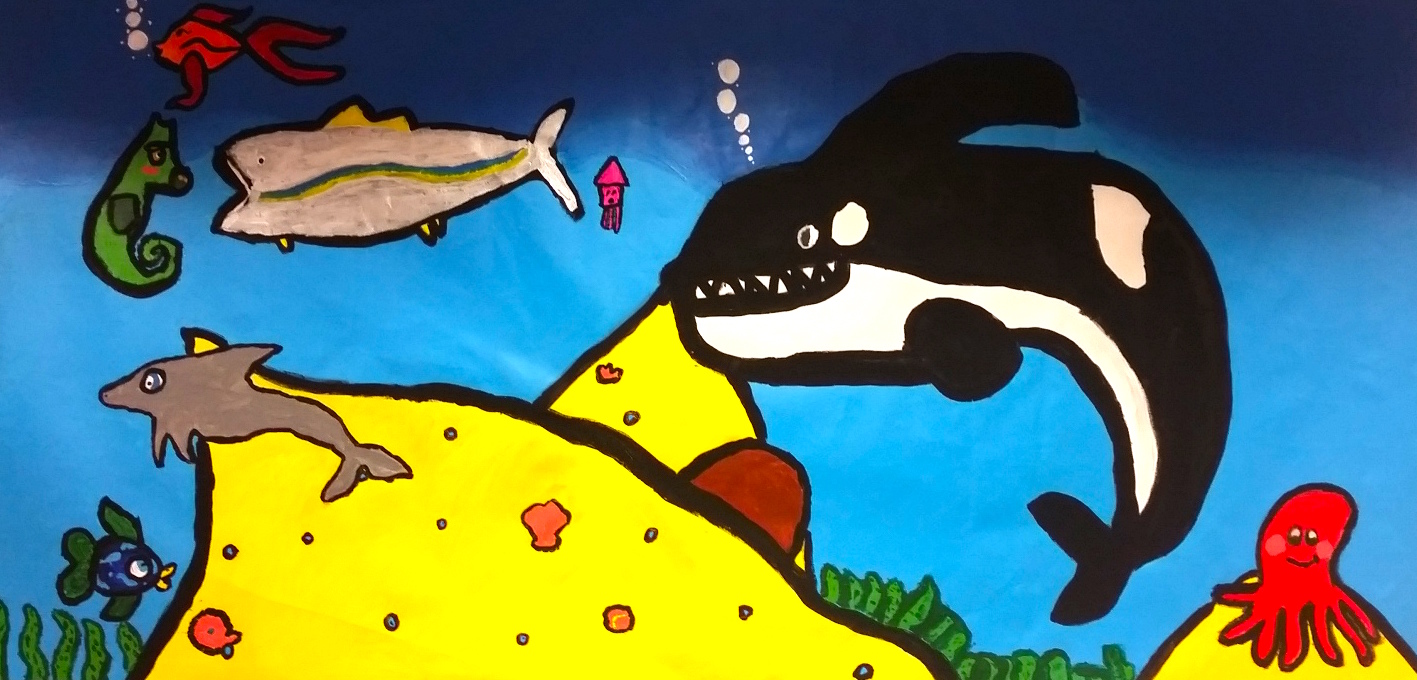
Each year the fifth grade students at Forest Grove Elementary create a collaborative work of art to leave behind in our school's permanent collection. This year, fifth graders completed a huge mural project that is on display in the library and media center! 

Ocean Mural -Mrs. Cramer's Class


Farm Mural - Mrs. Mills' Class


My favorite thing about this project is that it was almost entirely a student driven project.  Here is how we did it:

First, each class voted to select the theme. Next, we looked at other murals that also used the same theme. We critiqued them and talked about things that worked well on each, as well as some compositional pit falls that we wanted to avoid. This critique helped us to come up with some guidelines for our own drawings.

Next, each student created a small scale sketch of what they would like to see on one of the mural panels. Students voted on which students should become leaders for each painting. After spending time sketching independently, the small groups (around 6 kids) got together to talk about their practice sketches. They picked their favorite parts to combine into one final group sketch. Each student drew their own part onto the final paper. (We had another project going during this process).

After the final sketch was completed, it was projected and traced onto a 3 x 6 foot roll of canvas...


We used acrylic paint to paint it in...


After the project was completed, students evaluated each other on attitude, responsibility and teamwork!

Learning Goals: I can...
- Work collaboratively
- Be a responsible teammate with a helpful attitude
- Create a mural
- Create depth using size and placement in space
- Create unity using color and style
- Create variety using color and unique subjects


Tuesday, April 19, 2016

Chuck Close Self-Portraits


Kids in 5th grade created self-portraits using Chuck Close's grid photorealism technique.
Chuck Close is known for creating huge portraits of people. At the beginning of his career, he created very realistic portraits (photo-realism). Later in life, after an illness, he found himself confined to a wheelchair. He still continues to create fabulous artwork square by square. Now his artwork is more abstract and colorful in nature.


We started this project with a photograph that we outlined with colored pencil. Next we worked square by square to enlarge the photograph onto large paper using a grid.


Learning Goals: I can...
- Simplify a photograph by outlining facial features
- Use a grid to enlarge a photo
- Tell about Chuck Close
- Express myself through color choice